Agent Command Centers: Scaling Human Attention
, 12 min read
The first hour of using Claude Code feels like magic. You ask, it does. By hour six, you realize you’re glancing at the terminal every few seconds like a nervous first-time parent.
Is it done? Did it break something? Is it asking a question you missed? The agent is pulling its weight and you are mostly nudging. Of course, you could run these agents in yolo mode and they would keep going without needing you. Why monitor at all?
There’s emotional friction in letting an intelligent tool work for hours when you can’t tell what it’s doing. And when you do check back, it’s hard to tell what it did after running unsupervised for hours. Did it use any dependencies you don’t want? Change system-level settings? Did it leak API keys to hack around a dumb issue it was facing? When it’s fail-looping, will it just burn tokens for nothing?
The interface gives you little signal and control knobs, so you supply your own attention as a substitute. A better interface wouldn’t assume you already trust the agent. It would create the conditions for trust by showing you what matters: what the agent is doing, what it’s uncertain about, when it needs you.
Back in April 2025 Pete Koomen called most AI apps horseless carriages. I loved that essay, but capability had to mature for function to follow. Early engines couldn’t have powered Ford’s Model-T even if he sketched it in 1803. OpenClaw showed everyone that models are now ready to power the Model-T version of AI.
Current interfaces demand too high a cognitive tax. Chat can only ever be a linear timeline of messages. When using agents, you need to consume a lot of information quickly and text is just a poor way to do that.
What’s missing is a completely new interface: something that allows a human to manage a bunch of agents. Closer to a general’s command center than a chatbox. And the closest currently existing interfaces for managing many semi-autonomous units can be found in games.
StarCraft players command two hundred units in real-time. They’re not chatting with each marine, or approving each attack. The interface shows them what matters: resources, alerts, unit groups. They issue high-level commands and units execute. The player micromanages units only when something goes wrong or the strategy needs to shift.
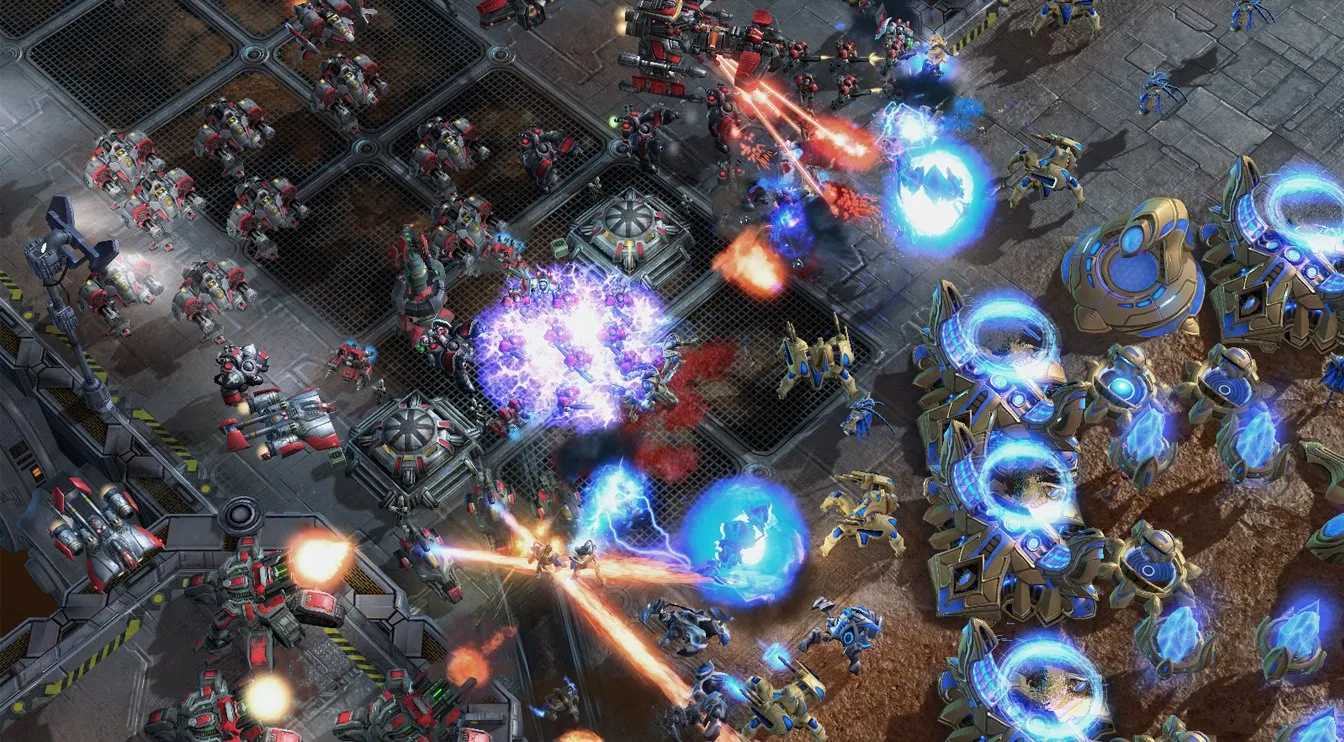 David Kaye: StarCraft 2’s UI is one of the most refined solutions to human-agent coordination that exists.
We need interfaces that amplify human agency. Built for flow-state continuous interaction when a human has a lot of input to give, but also running autonomously with sparse input when the human is doing other things. And even running overnight without supervision.
Exploration vs. Exploitation
Agents seem to be mature and ready for two modes right now: exploration and exploitation. There are more ways to delegate work, like autonomous agent factories, but these still feel a year or two away.
In exploration mode, you don’t know what you want yet. You’re playing with a problem, getting a feel for it. Chat works well here because conversation is itself exploratory. It’s how we brainstorm with other humans. Greenfield projects involve a lot of that kind of work.
In exploitation mode, you already made key decisions and there’s a backlog of things that need to get done. Here, chat is friction. You don’t want to collaborate anymore, you want to loosely supervise a capable worker.
In practice you constantly jump between the two modes. Tasks are being completed in the background while you are figuring out other details in the foreground. You need both in parallel, which means that a flexible tool still needs good chat, just not as the primary interface. Most tools force both modes into chat because that’s what early models needed, but (somewhat surprisingly) capabilities improved way faster than interfaces adapted.
A command center is an interface designed for exploitation mode. It respects your attention. It lets you supervise multiple agents without monitoring multiple conversations. It surfaces what matters and handles the rest.
Useful Primitives for Command Centers
So what could a command center look like?
I’ve been noting what I need when supervising agents, whether managing Claude Code, having OpenClaw handle personal tasks, or using Antigravity for coding at work. Five primitives keep recurring:
- Inbox items: decisions, deliverables, and escalations.
- FYI items: activity overviews and agent assumptions.
They’re probably not exhaustive or perfectly carved, but they capture what I need.
Decisions. Things that need human judgment. Not “what should I do?” but “here’s the situation, here are the options, here’s my recommendation.” The agent gives options so you can answer in seconds. If you don’t like them, you can enter chat mode and discuss.
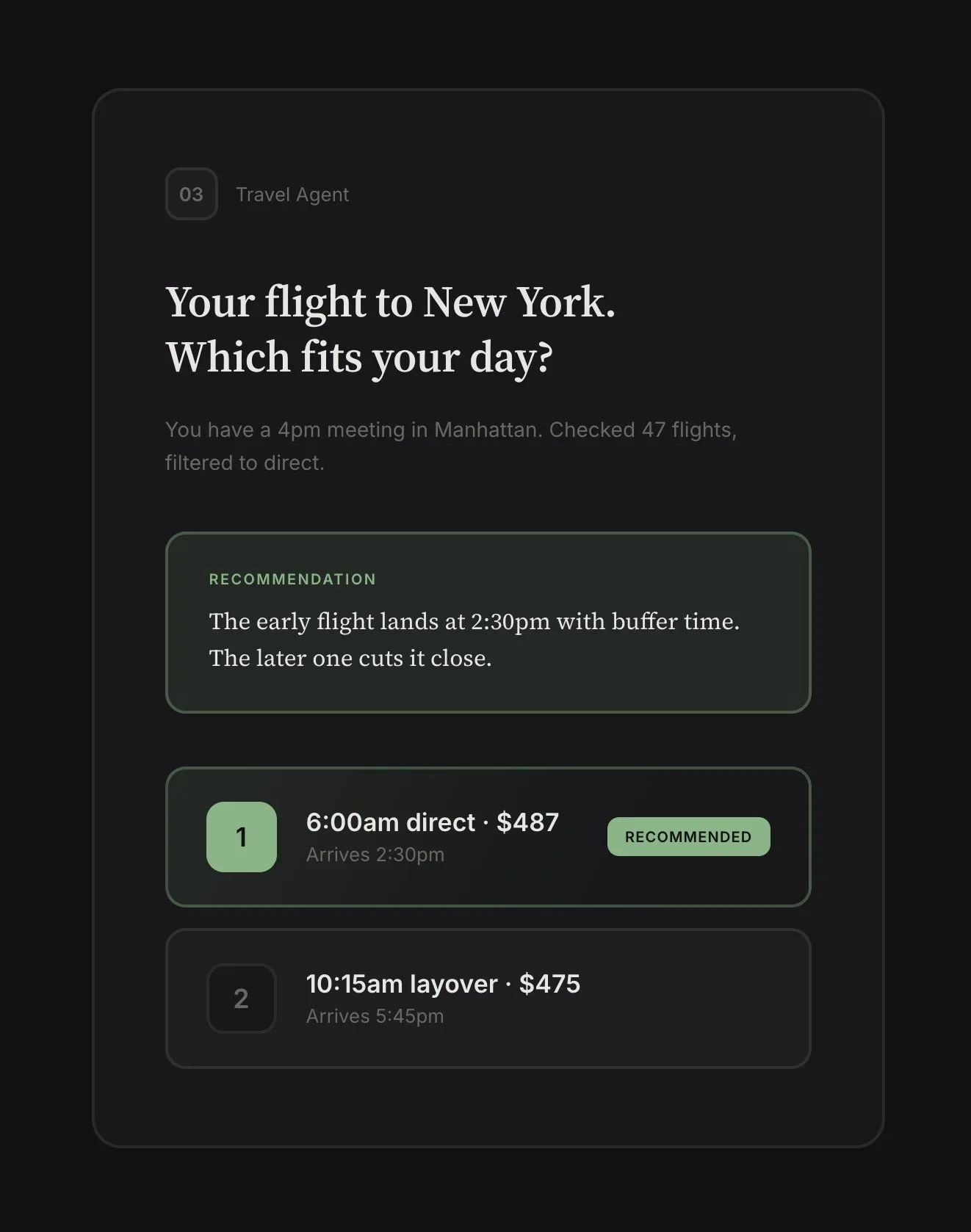
The key here is surfacing the right decisions. If the agent found a security issue, it should just fix it: that’s not a good use of human attention. Human-grade decisions (for now at least) are about taste and ambiguity. “Two flights match your criteria: 6am direct or 10am with layover, which fits your day better?” That requires knowing something the agent doesn’t (for now).
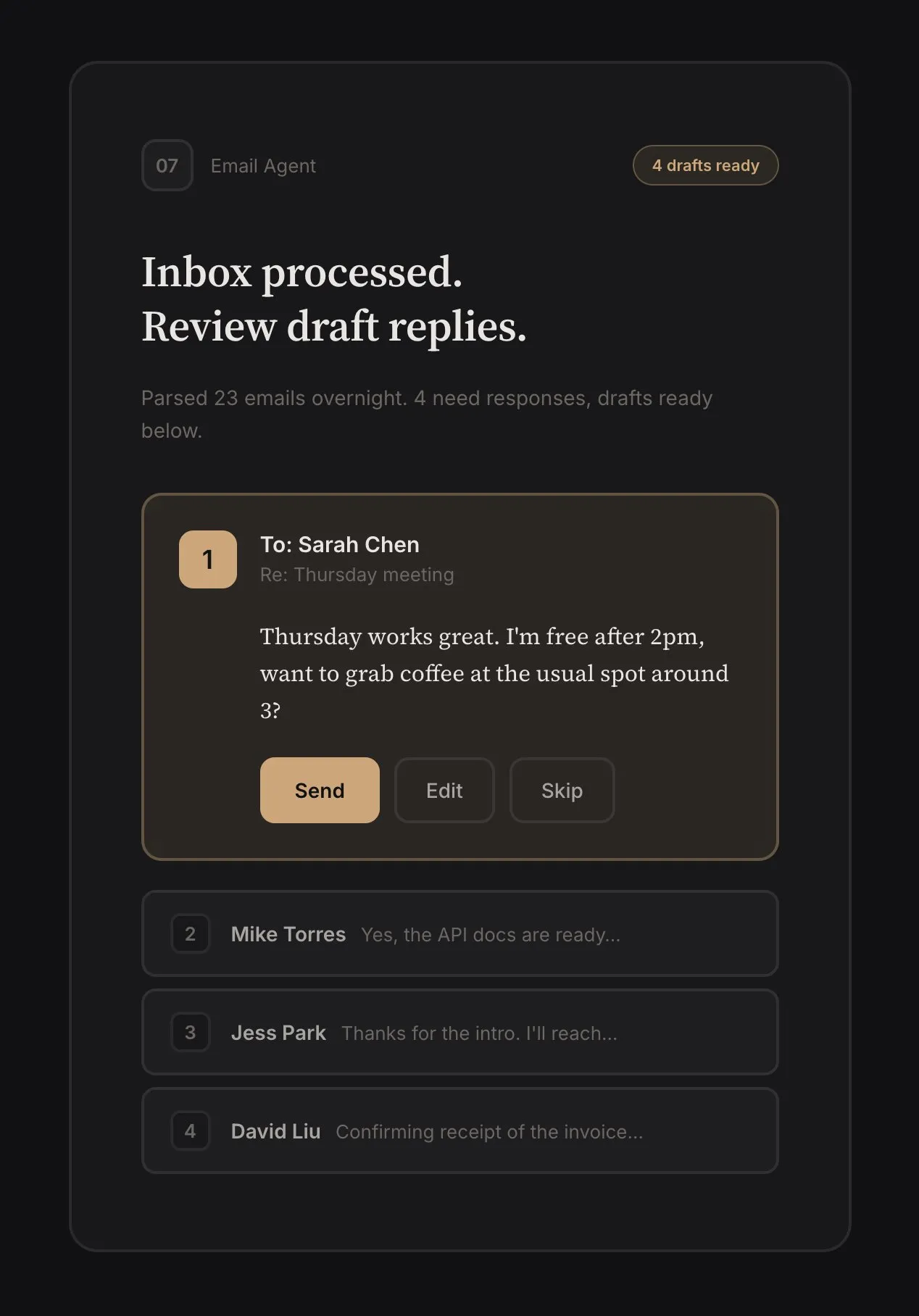
Deliverables. Pieces of work ready for human review. Code diffs, email drafts, excel sheets. The agent should be proactive. When sorting through email, instead of waiting for me to ask for an email draft, it should prepare one and surface it for approval or editing.
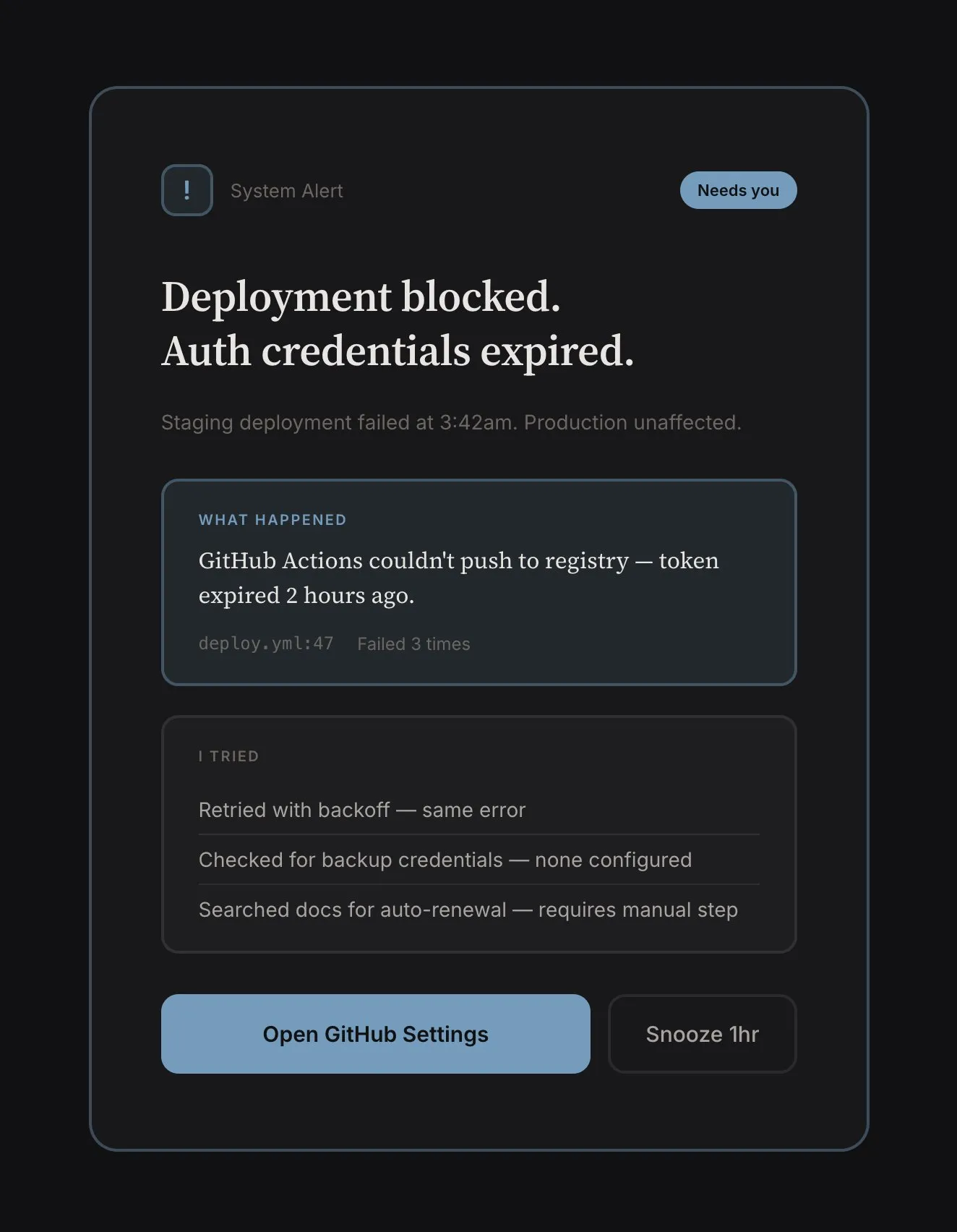
Escalations. When failing to complete a task, the agent should surface the failure and reason. Things that broke. Build failed. Payment declined. Merge conflict. “Email couldn’t be sent: authentication failed, credentials may have expired.” These shouldn’t be buried in activity digests, but visually distinct. They’re clearly problems needing resolution.
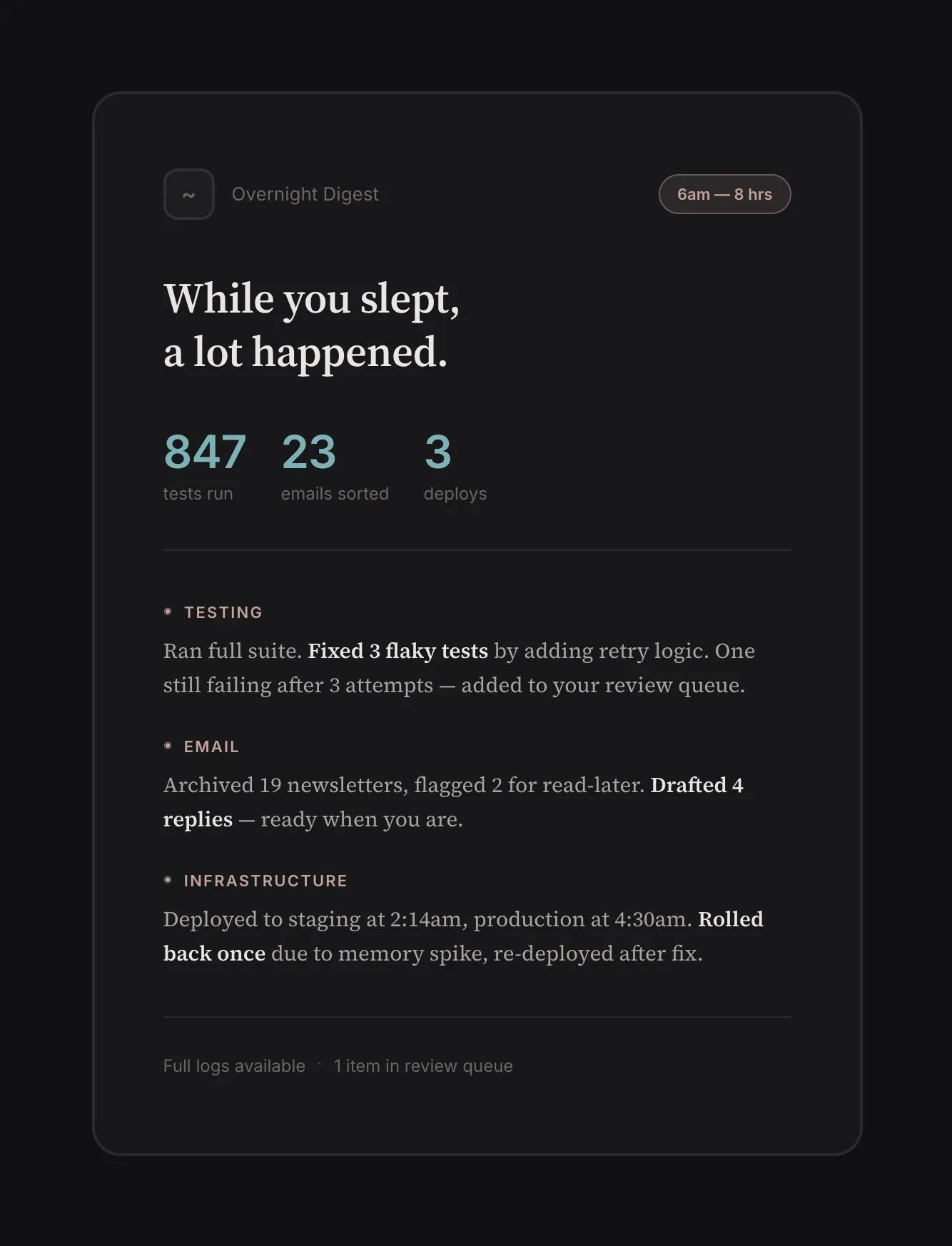
Activity. What happened while I wasn’t watching? I don’t want a log dump, but something that I can parse with a glance. “Ran 847 tests. Fixed 3 flaky ones. One still failing after repeated fix attempts, here’s the digest” or “Archived 23 uninteresting emails, moved 2 in your read-it-later list, and prepared 5 draft replies.”
Assumptions. Implicit choices the agent made for completing a task. The agent acts on beliefs about what you want, and it should surface these assumptions. “Scheduled the meeting for 2pm because you usually prefer afternoon calls.” “Chose the direct flight over the cheaper option with a layover because you’ve picked direct 4 out of 5 times.” “I used casual tone because you rejected formal twice.”
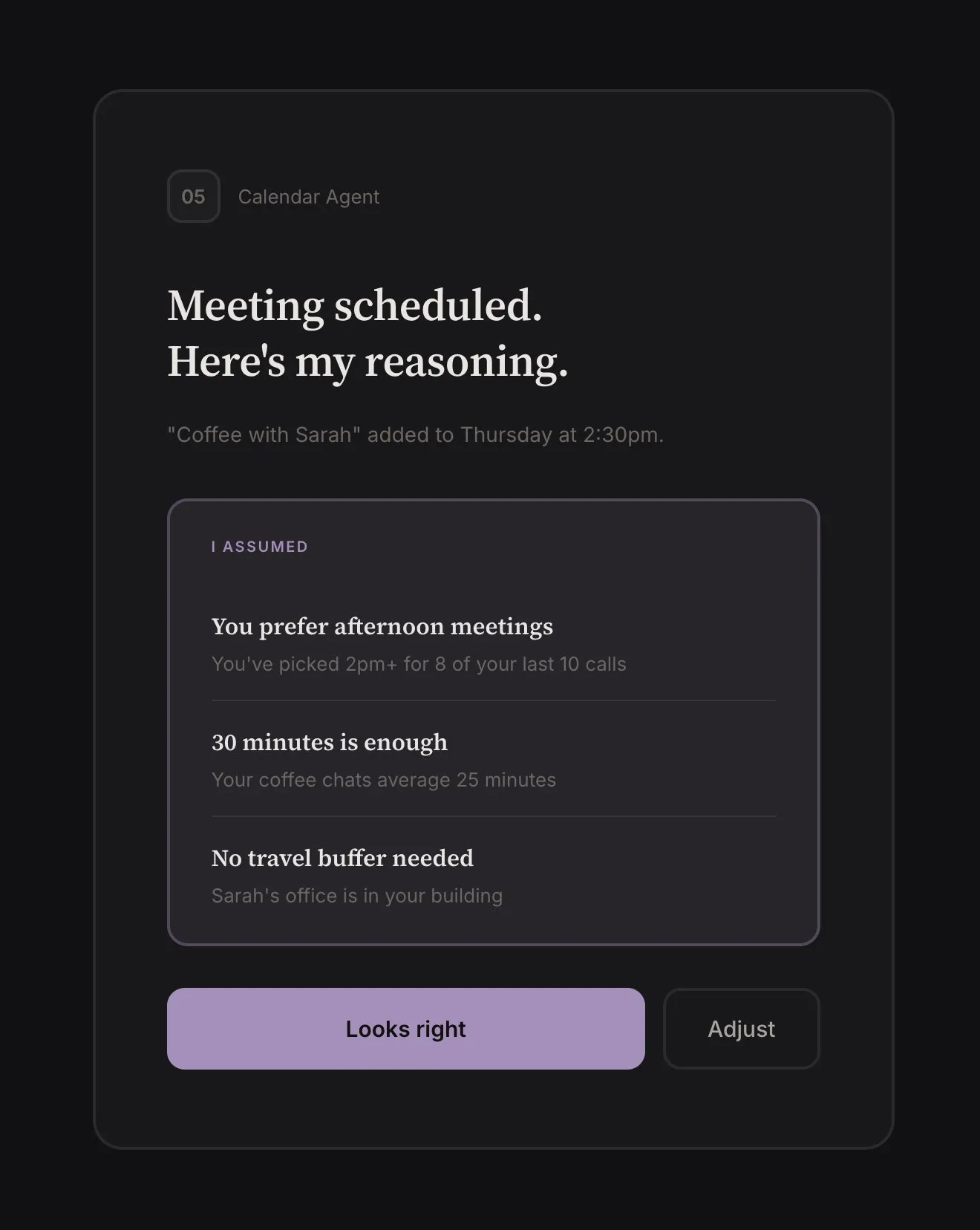
Surfacing assumptions is how trust gets calibrated. Ideally the agent learns over time from your decisions. How exactly that learning works is an open problem (more on this below), but the interface should surface agent assumptions.
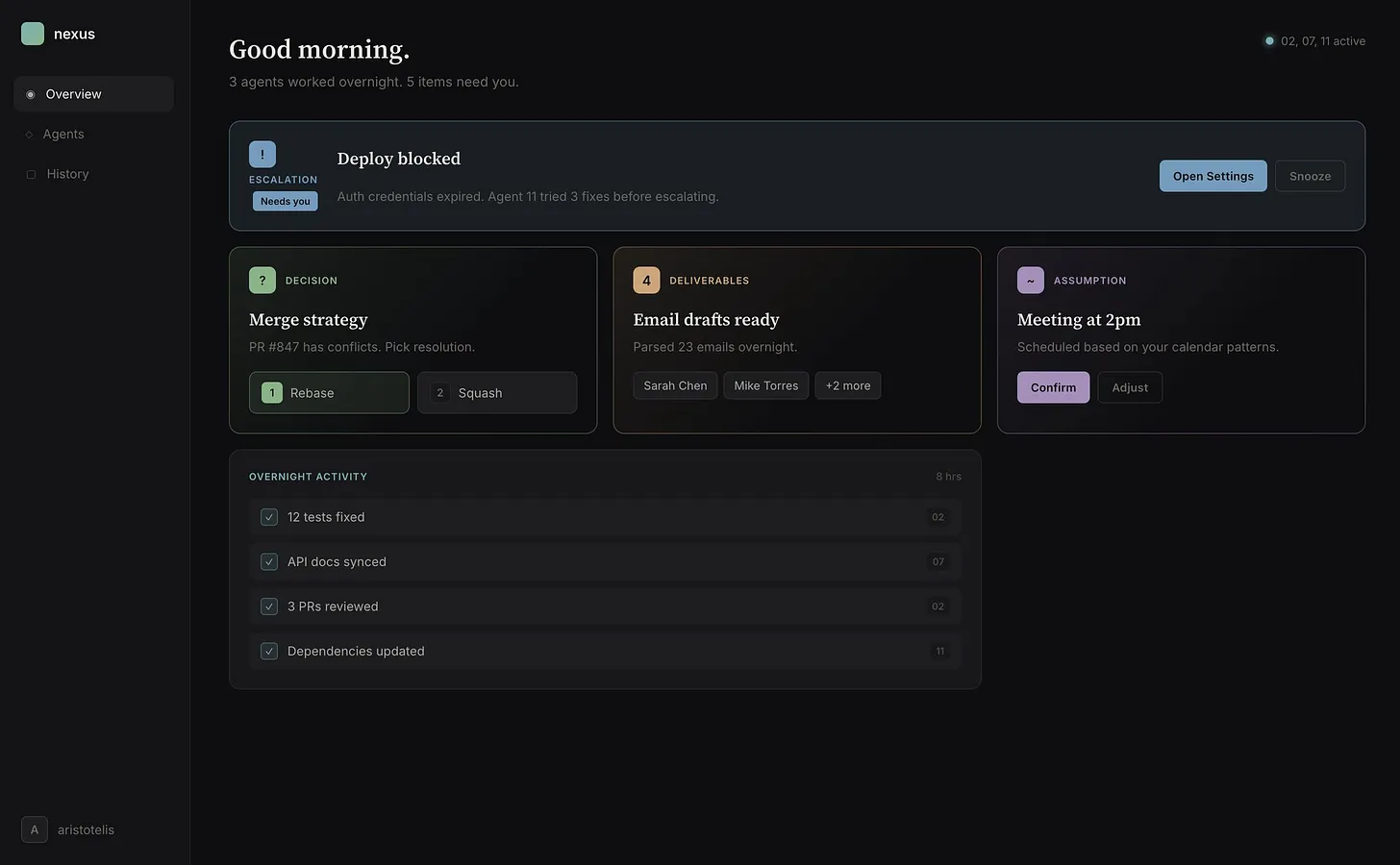 Nerfed version of what a command center could look like. Busier version at aristotelis.eco/nexus
In practice, decisions, deliverables, and escalations are all inbox items that appear in a queue. The reason I break them down here is to point out different types of information that are useful. The agent’s activity and assumptions aren’t actionable most times, and should command less of the user’s attention.
One more thing: an overarching approach when building agentic interfaces.
Clay. Functionality should be moldable. The layouts, UI, components, information structures shouldn’t be hardcoded. Good agent-native applications will be malleable like clay. Two reasons: first, it allows for intelligent emergent behavior that the software author didn’t explicitly design for. Second, it’s the only way for software to stay relevant as models improve.
Open Questions
There are problems I’m still not sure about. Most are model rather than interface problems though, so interfaces might just need to deal with them in a good-enough way and trust that new models won’t have the same issues.
Agent memory, continual learning. Right now, “learning” mostly means updating text files that persist between sessions. This kind-of works, but there are issues: files drift from reality, or they make behavior too rigid, or agents forget to update them. Also, agents aren’t good at forgetting irrelevant information, which is an integral part of intelligence.
Heavy-handed engineering solutions feel like swimming upstream when you recognize that all of this file manipulation is suspiciously bitter-lesson-y. What you eventually want is for memory and learning to be trained behaviors instead of bolted-on. Dario and Sholto think models will get there soon.
Multi-agent coordination. Beyond here be dragons. Some approaches are simpler than others. All the problems of a single agent are amplified in a swarm. My gut leans towards engineering the simplest thing that works OK, while waiting for models to solve coordination through RL, like Kimi K2.5 (bitter lesson again).
Interruption budget. How much should the agent escalate? How often? If the agent interrupts you for every decision, you’re babysitting. If it never interrupts, you have no control. The right balance depends on stakes, reversibility, and confidence. Turning off a light: low stakes, reversible. Don’t interrupt. Sending an email: medium stakes, irreversible. Maybe interrupt. Booking a flight: high stakes, involves money. Definitely interrupt. How much should the user configure this? Per-tool rules get complex very fast.
Part of the reliable escalation problem feels like it should be solved with continual learning (agents will learn your preferences over time), but it’s also an alignment problem in miniature: the agent must know when it’s uncertain, when stakes are high, what a human would want to know, and it must want to do the right thing.
Failure recovery. How to effectively deal with agents looping into failure or crashing? How many retries should an agent attempt? How much token budget should a crash-looping agent spend? Here I lean towards simple again. New models will overcome current failure modes and introduce different ones. Heavy investment in failure handling for today’s models may not transfer.
Closing
Horseless carriages or not, the best agentic tool out there is a souped-up CLI. Models far outpaced the interfaces.
We’re entering a period where the bottleneck is human attention, not model capability. Scaling human attention is the next step. The people who figure out how to manage that attention well, how to supervise ten agents as easily as one, will have leverage that looks like magic.
Thank you to Masha Stroganova, Sarah Catanzaro, John Carpenter, Matthew Siu, and Rohan Virani for reading drafts of this essay.
The essay reflects my personal thoughts and exploration and is not affiliated with Google DeepMind.
Notes & Further Reading
- I am using “Claude Code” as a catch-all for all similar interfaces that came after it: Gemini CLI, Open Code, etc.
- I’ve been exploring the idea of a command center at aristotelis.eco/nexus. It’s an early prototype with mocked data. I like the experience more than other tools I’ve tried. It still doesn’t flow the way a good strategy game does.
- Even with the ideas I share executed well, multiple agents running in parallel quickly produce visual noise with high attention tax. Humans are bad at monitoring multiple asynchronous streams. In addition to the suggestions in the essay, a good command center probably needs a combination of hierarchical aggregation + strong prioritization + “drill-down on demand” mechanics. Here, too, there is a lot to learn from game design, but this topic deserves its own essay.
Relevant work I’ve enjoyed, or discovered while writing this:
- Steam, Steel, and Infinite Minds — Ivan Zhao
- Scaling long-running autonomous coding — Cursor
- Effective harnesses for long-running agents — Anthropic
- Welcome to Gas Town — Steve Yegge
- Kimi K2.5: Visual Agentic Intelligence — Kimi
- AI Horseless Carriages — Pete Koomen
- The case against conversational interfaces — Julian Digital
- Agent-native Architectures: How to Build Apps After Code Ends — Dan Shipper
- AI Needs Game Designers — David Kaye
- Shipping at Inference-Speed — Peter Steinberger
- Pi: The Minimal Agent Within OpenClaw — Armin Ronacher